marimo: Reactive Python Notebooks
A reactive Python notebook — on VS Code, Jupyter, and HiPerGator.
1. What Is marimo?
- A reactive Python notebook — change a cell, and every cell that depends on it re-runs automatically
- Stored as a plain
.pyfile — git-friendly, unlike.ipynbJSON - The same notebook can run as a script, an app, or an editable notebook
2. Install & Launch marimo
Install into your environment:
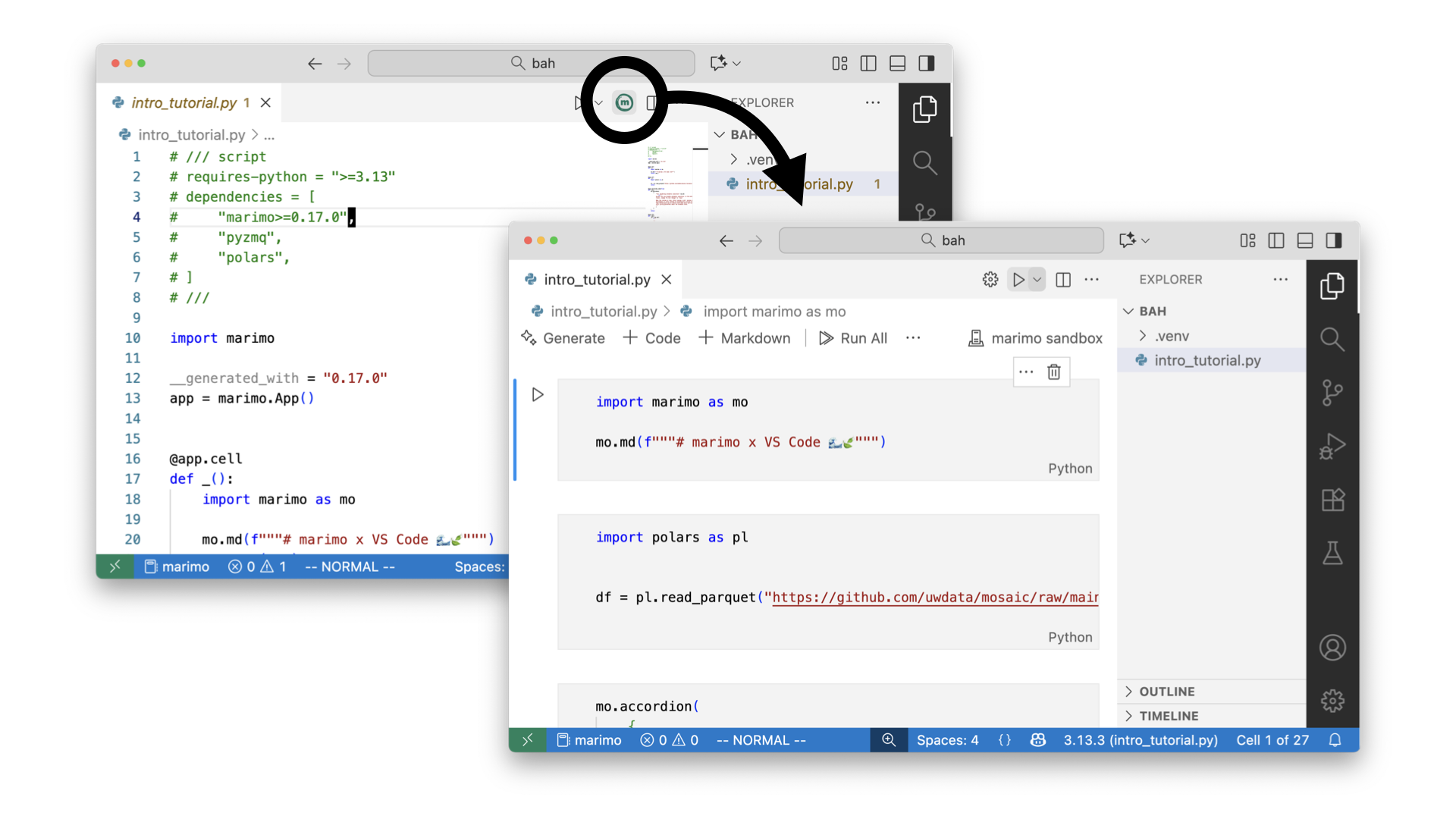
3. marimo in VS Code
marketplace.visualstudio.com — marimo extension
- Install the marimo extension from the VS Code Marketplace
Cmd/Ctrl+Shift+P→ "marimo: New marimo notebook"- Edits like a
.pyfile, runs like a notebook — with a variables explorer and rich output
4. marimo with Jupyter Notebooks
Convert an existing Jupyter notebook to marimo:
5. marimo on HiPerGator
Install it into your conda environment, then launch it headless inside your job:
6. Reaching It From Your Laptop
Same idea as a standalone Jupyter server on HiPerGator: open an SSH tunnel from your laptop to the compute node and port.