AI Passport Impact Project
Twenty mini-projects for the UF AI Passport for Health Science.
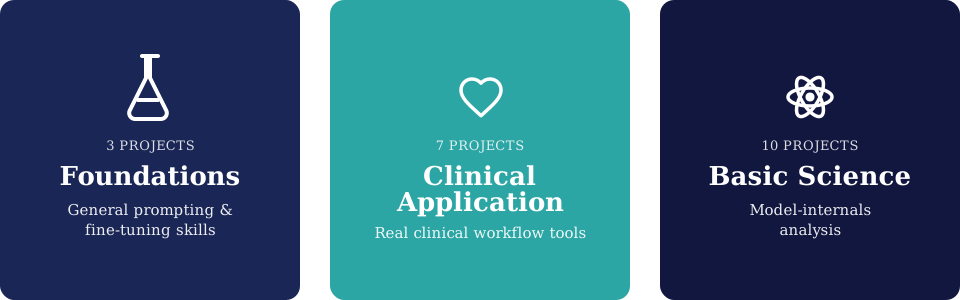
Choose a track
| Foundations | Clinical Application | Basic Science | |
|---|---|---|---|
| What you build | General-purpose prompting & fine-tuning skills on health-science text | Full clinical-workflow apps: a frontend you build by prompting an AI coding agent, plus a backend on open-source models | Analyses: notebooks that inspect a model's tokens, embeddings, attention, and hidden states |
| Model role | A tool you call and prompt | A tool you call, prompt, and sometimes fine-tune | The object of study itself |
| Training | Light (one project fine-tunes a small classifier) | Light (a few projects fine-tune a small open classifier/NER model or a LoRA adapter) | None. Every project treats the model as fixed and probes it. |
| Best for | Getting comfortable with an AI coding agent before tackling a clinical workflow | Students who want a working clinical app end to end | Students who want to understand why a model answers the way it does |
| Start here | Project 1: Medical Term Definer | Project 1: Appointment Prep Chatbot | Project 1: Tokenizer stress-test |
Not sure which one? Start with Foundations. Move to Clinical Application if you want to build, or Basic Science if you want to understand. Each track is a run of projects ascending in complexity, ending in a capstone that combines everything before it.
Before you start
Tooling
- Looking for a specific dataset or API a project names? See Datasets & APIs.
- New to the tooling? Start by picking an agent: Claude Code, Codex, or VS Code agent mode.
- Building a Foundations or Clinical Application frontend? See Streamlit & Gradio: A Beginner's Guide to pick a UI framework.
- For hands-on environment setup, see Virtual Environments & Packages with uv.
- Working in a notebook? marimo AI Agents connects Claude Code, Codex, Gemini, or OpenCode directly to the notebook editor.
Practices
- Collaborating with others on a project? Read Using GitHub to Collaborate for branches, pull requests, issues, and code review.
- Then read Software Engineering Practices for Data Science for keeping secrets out of git and a standard project layout.
- And Better Code, Better Science for the deeper version of the same argument, including AI-assisted coding.
Get an AI coding agent
All three tracks (Foundations, Clinical Application, and Basic Science) are done by prompting an AI coding agent, not by hand-writing every line yourself. Pick one:
- Claude Code: terminal agent from Anthropic
- Codex: terminal agent from OpenAI
- VS Code agent mode: built into the editor (Copilot Chat), or run Claude Code/Codex as an extension inside it
How to use it per track
| Track | What you paste as your first prompt | What the agent scaffolds |
|---|---|---|
| Foundations | The project's brief (Problem/Context/Goals/Deliverables) | A single small app: one page, one model call |
| Clinical Application | The project's brief, plus which dataset/API it names | A full app: frontend (Streamlit/Gradio) + backend, wired to the named open dataset or API |
| Basic Science | The project's brief (Problem/Context/Goals/Deliverables) | A notebook that runs the analysis end to end and produces the plot the project asks for |